CONTROL
Make the switch.
Eight implemented, reversible controls, including three CPU latency-hint experiments, with recorded originals. Turn supported tweaks on and off from the app.
 REINERYU OSGet Reineryu
 Get closer to what your PC can do.
Discover your hardware, control supported tweaks, and put every change to the test.
Feels like Windows.A familiar, native desktop app.
Every change is a choice.Supported controls with recovery.
Evidence over guesswork.Repeated trials. Transparent results.
App improvements, installation options and the current OS image status.
Control, welcome, themes and recovery assets included. Boot and installation remain untested.
View image status →02 / CONTROLAtomic database setup, stronger backup checks, game search, launcher filters and saved favorites.
Read the changes →03 / INSTALLATIONControl for existing Windows, OS Setup, all-user maintenance, portable media wizard and an optional tester.
Choose your download →Your Windows workflow, expanded.
Hardware discovery, reviewed controls and a performance lab in one place.
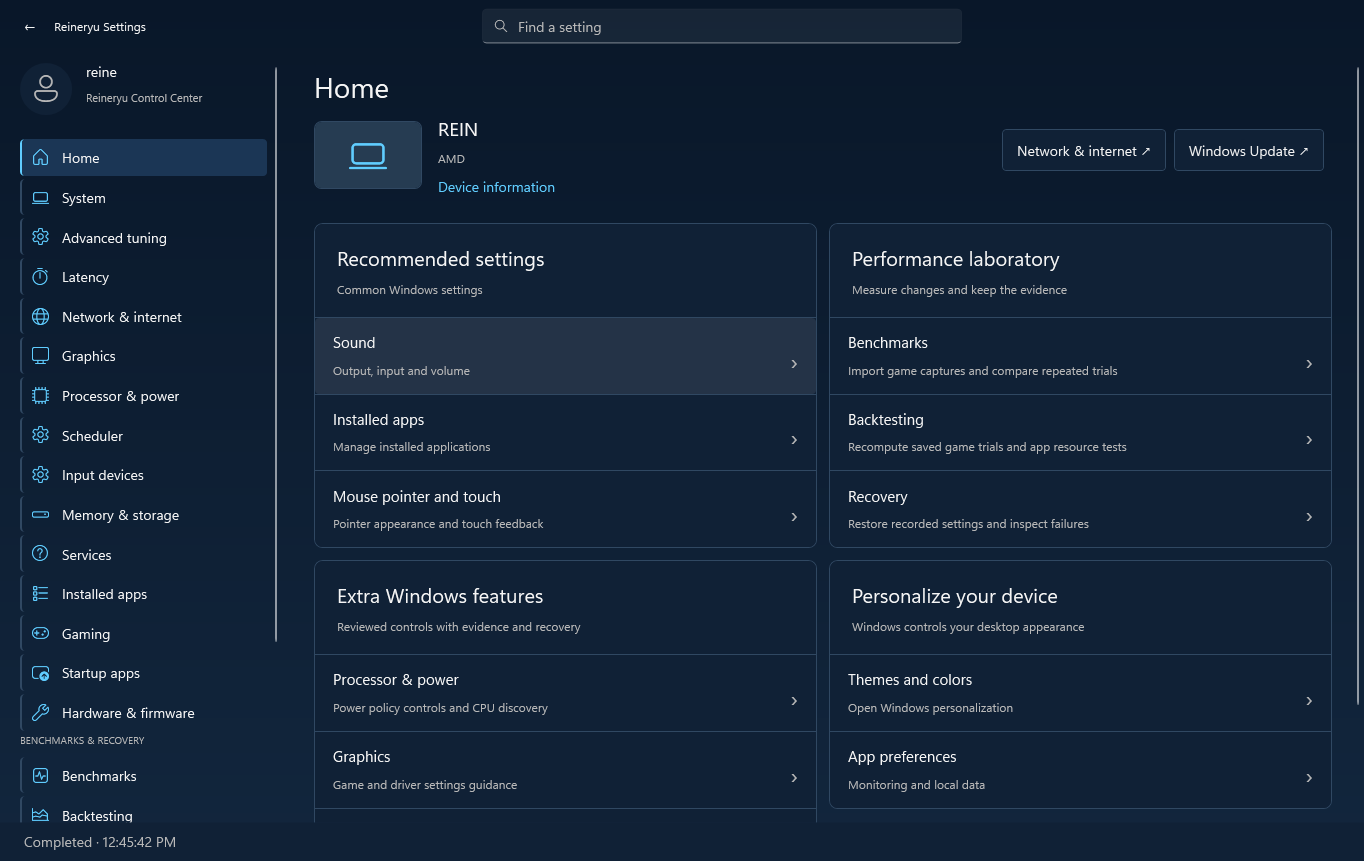
Eight implemented, reversible controls, including three CPU latency-hint experiments, with recorded originals. Turn supported tweaks on and off from the app.
Explore CPU topology, graphics, per-adapter network data, input devices, memory, storage and firmware through six diagnostic modules.
Plan matched experiments, import frame captures and compare repeated runs. Keep raw evidence, uncertainty and independent holdout results.
Inspect scheduler requests and input delivery timing. Isolated scheduler probes run in a disposable child process, with restoration checks.
See what’s implementedBrowse 52 sourced capability assessments. The optional source monitor checks for document changes and revisits saved trials while the app is open.
Explore the evidenceReview recorded originals and restore supported changes through Recovery. Rerun setup to repair app files and shortcuts while preserving your records.
How recovery worksCapabilities depend on your Windows build and hardware. Diagnostics, guidance and experiments are clearly distinguished in the app.
Real engineering means testing the software and being clear about what the results establish.
Read the validation reportThe latest ISO has file-integrity results only. Boot, installation, game FPS and physical latency remain unverified.
The native companion to Windows Settings.
Windows 11 x64 · 55.9 MiBThis build is unsigned. It installs Control Center, not a replacement Windows image. Setup does not automatically apply performance tweaks.
Choose Control to keep your current Windows. OS Setup creates a USB for a clean Windows installation with Reineryu included; installing the wizard alone does not replace Windows. A complete ISO has also been assembled locally, but it is untested and not publicly hosted. Read the image status.
No FPS improvement is promised. Hardware and game behavior vary. The laboratory helps you measure changes using repeated, matched trials. Fortnite performance and physical latency validation remain pending.
The Control installer installs the app and its bundled runtime for your Windows account. It creates app shortcuts and an Installed Apps entry. It does not automatically change performance settings. Ordinary dashboard use does not require administrator privileges; supported privileged operations request access separately.
Supported controls record originals and verify changes. Use Recovery to restore the settings you want to undo before uninstalling. Uninstalling removes app files but preserves recovery records and does not automatically revert Windows settings. External changes or missing records can affect recovery.
A verified publisher signature is not available for this preview. Review the release details and download only from a source you trust. The published SHA-256 detects file corruption; it does not authenticate a publisher. Follow your Windows or browser security guidance.
No. This site presents the app and downloads its installer. Appearance previews and capability filters only change the website. No PC diagnostics or system settings run from this page.
Control 0.10.3 · Windows 11 x64 · Testing preview